Using OpenVPN on Grandstream ATAs with tls-crypt being a Static Key
Update Jan 30, 2026:
This workaround might not be needed anymore.
The HT812 V2 firmware v1.0.7.5 added a separate field for the OpenVPN TLS key!
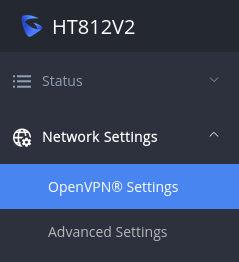
I recently got myself an HT812 V2 ATA by Grandstream for remote deployment of a VoIP phone connected to my Asterisk server.
Luckily, the phone includes an OpenVPN client – so securely connecting to my services shouldn’t be a problem. Or so I thought… Turns out: My server (running on an OPNsense firewall) is using a static key:

In an OpenVPN configuration file, this would something like this:
<tls-crypt>
#
# 2048 bit OpenVPN static key
#
-----BEGIN OpenVPN Static key V1-----
[...]
450afcc83c714e34a01cb7e8dc6c6fc3
[...]
-----END OpenVPN Static key V1-----
</tls-crypt>
Well, the webinterface of the ATA does not provide any inbuilt form input to actually define the key. You can provide additional configuration options though – hooray! 🙂
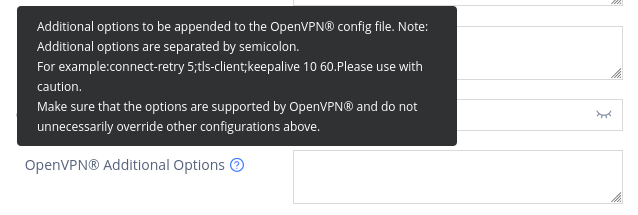
Now, you only have to replace each new line (\n, \r, or \r\n) with a semicolon and remove the comment lines starting with #. Your key might look like this in the Additional Options field:
<tls-crypt>;-----BEGIN OpenVPN Static key V1-----;38dedfc38984803991defc08af6a9941;-----END OpenVPN Static key V1-----;</tls-crypt>Depending on your configuration options, you might want to add some other additional options too, for example, I use the following:
resolv-retry infinite;nobind;verify-x509-name "CN=voip.vpn.example.com, OU=VPN, O=Example, C=AT" subject;remote-cert-tls server;ping 10;ping-restart 60
No comments yet.